Self-Destructing Notes
Share passwords, API keys, or sensitive secrets securely. Your message is encrypted in your browser and wrapped into a one-time link.
Create Secret Note
Encrypted in your browser. No data sent to servers.
How FinlyZone Architecture Works
FinlyZone's SecretNote is built on a Zero-Knowledge, Peer-to-Peer (P2P) architecture. Unlike traditional applications that store your data on centralized databases, FinlyZone acts purely as a stateless relay. Your data never touches our disks.
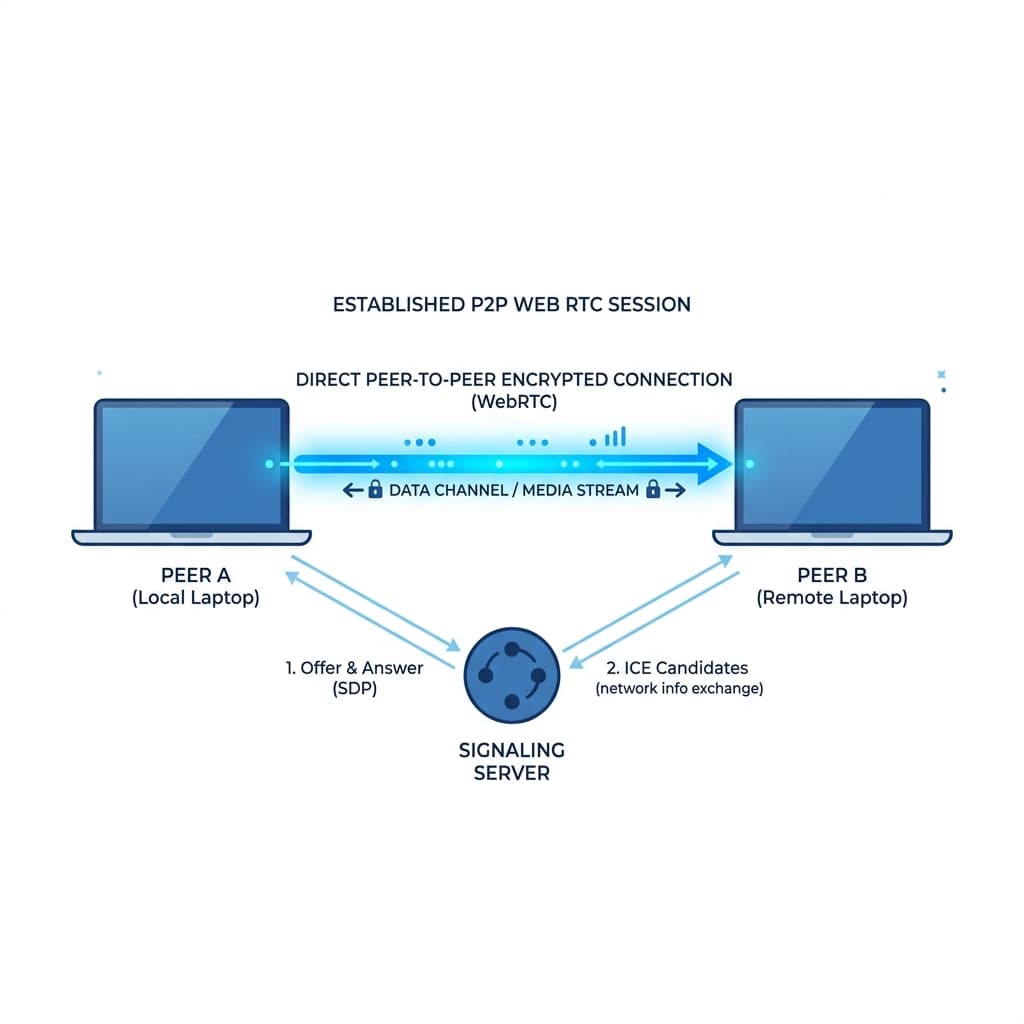
MQTT Signaling
When you create a room, you connect to a lightweight MQTT broker. This broker acts as a stateless switchboard, instantly routing encrypted signals between peers to establish the connection.
WebRTC Mesh
For high-bandwidth data like Video Calls and Screen Sharing, FinlyZone upgrades the connection to a WebRTC mesh network. Video streams directly from your camera to the recipient's screen.
AES-GCM Encryption
Every message, file, and whiteboard stroke is locally encrypted in your browser using the Web Crypto API before being transmitted. Only users with the exact room URL can decrypt the data.
How SecretNote Works
Sending passwords or sensitive information over email or Slack is a security risk. Those messages sit in databases and chat logs forever, waiting to be exposed in a data breach. SecretNote solves this by taking the data out of the server completely.
- You write a note: You type your sensitive information into the box above.
- Client-side encryption: Your browser generates a random AES-256 encryption key and encrypts your note locally. The raw text never leaves your device.
- The URL is generated: The encrypted data and the decryption key are packed into a shareable URL. We don't save this in a database — the data is the URL.
- Recipient opens it: When your recipient clicks the link, their browser uses the key in the URL to decrypt the message locally.
- It self-destructs: Once read, or after the timer you set expires, the message is gone forever.
Why Use SecretNote?
- Share Passwords: Securely send Wi-Fi passwords, Netflix logins, or client credentials.
- API Keys & Tokens: Never paste raw API keys in chat tools again.
- Confidential Client Data: Send social security numbers, banking details, or sensitive files knowing they won't linger in an inbox.
- Zero Knowledge: We don't have accounts, we don't track you, and we literally cannot read what you send.
Frequently Asked Questions
How does the encryption work?
We use the Web Crypto API built directly into modern browsers. Specifically, we use AES-GCM with a 256-bit key. When you add a passphrase, we use PBKDF2 with 100,000 iterations to derive an additional encryption key.
Where are the notes stored?
Nowhere! That's the beauty of SecretNote. We don't have a database. We compress the encrypted note and put it directly into the URL itself. When you share the link, you are sharing the encrypted payload.
Can Finly read my messages?
No. The decryption key is located in the URL fragment (the part after the # symbol). Browsers are designed to never send the URL fragment to the server. Therefore, our servers never see the key and cannot decrypt the message.
Explore More Privacy Tools
Check out our encrypted P2P chat rooms or anonymous feedback boards.